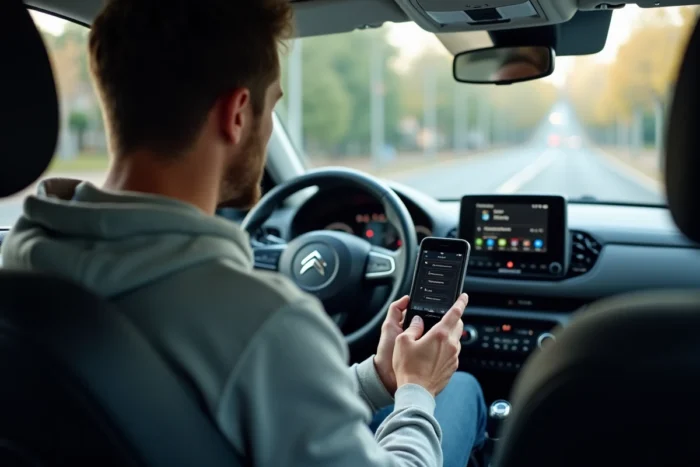
We get into the C3, connect the phone via Bluetooth to launch a podcast or make a hands-free call, and nothing connects. The error message or total lack of detection is a common scenario, especially after a phone update or a device change.
The Bluetooth connection on the Citroën C3 depends on both the generation of the embedded multimedia system and the version of the phone’s Bluetooth protocol, two parameters that do not always align without manual intervention.
Bluetooth on Citroën C3: what the trim really changes
Before adjusting the settings, it’s important to understand a point that most guides overlook: not all C3s manage Bluetooth in the same way. In recent models, some entry-level versions prioritize Android Auto or Apple CarPlay rather than full Bluetooth usage. You see “Bluetooth” in the menus, attempt pairing, but audio streaming or contact transfer does not work.
In these trims, Bluetooth is mainly used for hands-free calling. For music, the system expects a wired USB connection or a CarPlay/Android Auto session. Checking the documentation for the exact trim of the vehicle helps avoid looking for a bug where there isn’t one.
The C3s equipped with the multimedia system with a touchscreen generally offer a more complete Bluetooth pairing. When in doubt about the available features, the detailed procedure for successfully establishing the Bluetooth connection on Citroën C3 distinguishes the steps according to the type of embedded system.
Bluetooth pairing procedure on the Citroën C3 car radio
Now we move on to the actual manipulation. The process varies slightly between generations of C3, but the logic remains the same.
Prepare the phone and the vehicle
- On the phone, activate Bluetooth and make it visible (on Android: Settings > Connected devices > Connection preferences > Bluetooth; on iPhone: Settings > Bluetooth)
- On the C3’s multimedia system, access the Bluetooth menu via the touchscreen or steering wheel controls, then select “Search for a device” or “Add a device”
- Keep the ignition on (engine running or accessory position), as the system stops Bluetooth searching if the ignition is off
Start pairing and validate the code
Once the search is initiated on the vehicle side, the name of the car radio (often “CITROEN” or “C3 MULTIMEDIA”) appears in the phone’s Bluetooth list. Select it. A pairing code displays on both screens: it must be validated on both sides.
If the code does not appear on the vehicle’s screen, restart the search from the phone this time. On some models, it is the phone that must initiate detection, not the other way around.
Check the active connection
After validation, the phone shows as “connected” in the Bluetooth devices list of the system. Test immediately with an outgoing call via the vehicle’s screen. If the audio comes through the car’s speakers, the pairing is functional.
For music streaming, launch an audio app on the phone and check that the sound plays through the C3’s system. If only calls work but not music, the A2DP Bluetooth profile may not be supported by the vehicle’s trim.
Bluetooth issue Citroën C3: field diagnosis
We followed the procedure, but it still doesn’t work. Field reports on recent C3s show that Bluetooth issues often go beyond simple failed pairing. Screen freezes, connection drops while driving, and spontaneous restarts of the multimedia system are reported.
Resetting the multimedia system resolves most blockages. On most C3s with a touchscreen, a long press on the volume button (or the power button of the car radio) for about ten seconds forces a restart. After this reboot, restart the pairing process from scratch.
Delete the old pairing before starting again
If the phone has already been connected to the vehicle, corrupted pairing data blocks reconnection. The steps to follow:
- On the phone, go to the registered Bluetooth devices, find the vehicle’s name, and select “Forget this device”
- On the C3’s system, remove the phone from the list of paired devices via the Bluetooth menu
- Restart Bluetooth on both sides, then restart the complete pairing procedure
- If the problem persists after this manipulation, check if a software update is available at a Citroën workshop
When the problem comes from the embedded software
Updates to the multimedia system at the dealership have become a common solution for connectivity issues. A car radio whose firmware has not been updated may have incompatibilities with recent Bluetooth versions on smartphones.
Feedback varies on this point, but several owners report that a visit to the workshop with a software update resolved recurring Bluetooth dropouts that neither resetting nor deleting pairing had fixed.
Connecting multiple Bluetooth devices to the Citroën C3
The system generally accepts multiple registered phones, but only one device can be actively connected at a time. If two passengers want to alternate, the first phone must be manually disconnected before connecting the second.
On newer systems, the C3 automatically reconnects to the last used phone as soon as it is in range. If you want another device to take priority, disable Bluetooth on the priority phone or temporarily remove it from the vehicle’s paired devices list.
One point to keep in mind: each deletion of a pairing requires going through the complete procedure again with the validation code. It’s better to avoid removing a device that you use regularly and simply manage priority by enabling or disabling Bluetooth on the phone side.