
You open Snapchat, take a look at your friends list, and spot a little green dot next to a Bitmoji. First reaction: this person is reading your messages. In reality, this green dot doesn’t tell that exact story. It indicates recent activity on the app, without specifying what the person is doing or how long they have been online.
Reliability of the Snapchat green dot as an activity indicator
Before drawing conclusions about a contact’s availability, it’s important to understand what this indicator really measures. Snapchat officially calls it the Activity Indicator. Its role is to signal that a user has been active recently on the app.
The key word here is “recently.” The green dot does not function as a real-time indicator. It may still be displayed after the person has closed the app or locked their phone.
Specifically, if you see a green dot, it could mean several things:
- The person opened Snapchat a moment ago and the app is still running in the background.
- They sent a Snap, viewed a Story, or performed a recent action on their account.
- The app refreshes with a slight delay, which extends the display of the green dot beyond the last actual activity.
However, the green dot never proves that someone is reading your messages. It says nothing about the screen the person is viewing, nor whether they are chatting with another contact.
To better understand how long the green dot stays on Snapchat, one must accept a reality: Snapchat does not communicate any official timeframe.

Duration of the green dot display on Snapchat: what we really know
This is the question that comes up most often, and the answer is frustrating. Snapchat does not publish an exact timeframe for the disappearance of the green dot. No official documentation mentions a specific number of minutes or hours.
This ambiguity is intentional. Snapchat has always cultivated an ephemeral approach to its features. Providing a precise timer for the activity indicator would go against this philosophy.
What users observe in practice
Several guides and user feedback converge on two observations. In some cases, the green dot disappears a few minutes after the app is closed. In other situations, it can remain visible for much longer, with some sources mentioning a window of up to 24 hours.
This variation depends on several factors. The behavior of the app in the background plays a role, as does the operating system (iOS or Android). On Android, apps tend to stay active in the background longer, which can prolong the display of the green dot.
A displayed green dot does not mean that the person is using Snapchat at that moment. It signals a window of recent activity, the exact duration of which remains unclear.
Disabling the green dot in privacy settings
Do you prefer that your contacts do not know when you are active? Snapchat offers a dedicated setting in its privacy settings. This option allows you to hide the Activity Indicator from other users.
How to access the setting on iOS and Android
The procedure is the same on both systems:
- Open Snapchat and tap on your Bitmoji in the top left to access your profile.
- Tap on the gear icon to enter the settings.
- Look for the section dedicated to privacy, then disable the option related to the activity indicator.
By disabling this feature, you hide your green dot, but you also lose visibility on that of your friends. The system operates on a principle of reciprocity: if you do not share your status, you will no longer see that of others.
This compromise leads many users to keep the option enabled. Knowing that a friend is online remains useful before sending a Snap, even if the information is not perfectly reliable.
Snapchat green dot and parental control: a limited indicator
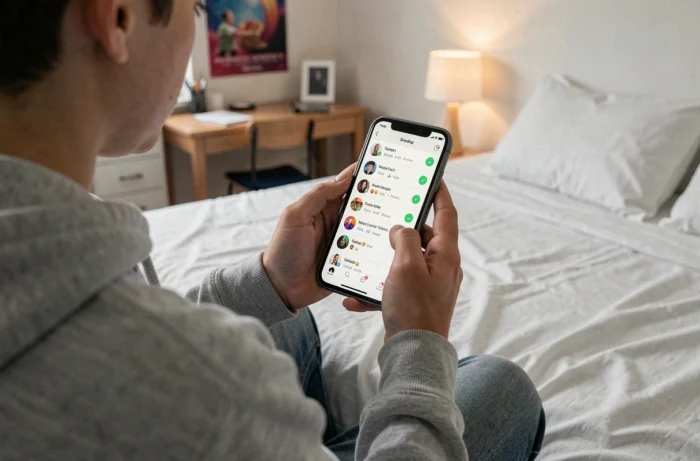
Some parents use the green dot as a way to check if their child is on Snapchat. The idea seems logical: if the green dot appears, the child is online.
In practice, this indicator lacks reliability for parental control. The lag between actual activity and the display of the green dot makes any conclusion risky. A visible green dot at 11 PM may reflect activity that occurred several minutes earlier, or more.
Moreover, a teenager can disable the activity indicator in a matter of seconds from their privacy settings. This adjustment requires no special technical skills.
Dedicated parental control tools (offered by phone manufacturers or third-party apps) provide much more accurate data on screen time and app usage. The Snapchat green dot was not designed as a monitoring tool, and it does not replace these solutions.
What the green dot does not show on Snapchat
The green dot attracts a lot of attention, but its limitations deserve to be clearly stated. It does not show who the person is communicating with. It does not distinguish between passive viewing of Stories and active conversation via messages. It gives no indication of the duration of the current session.
The activity indicator remains an approximate signal of recent usage. Treating it as proof of availability or intent leads to misunderstandings. Snapchat has never presented this green dot as a real-time tracking tool, and the lack of documentation on its exact duration confirms this position.
The next time this little green dot appears next to a Bitmoji, keep in mind that it tells part of the story, not the whole story.